
Every yes starts as a quote. Make it a good one.
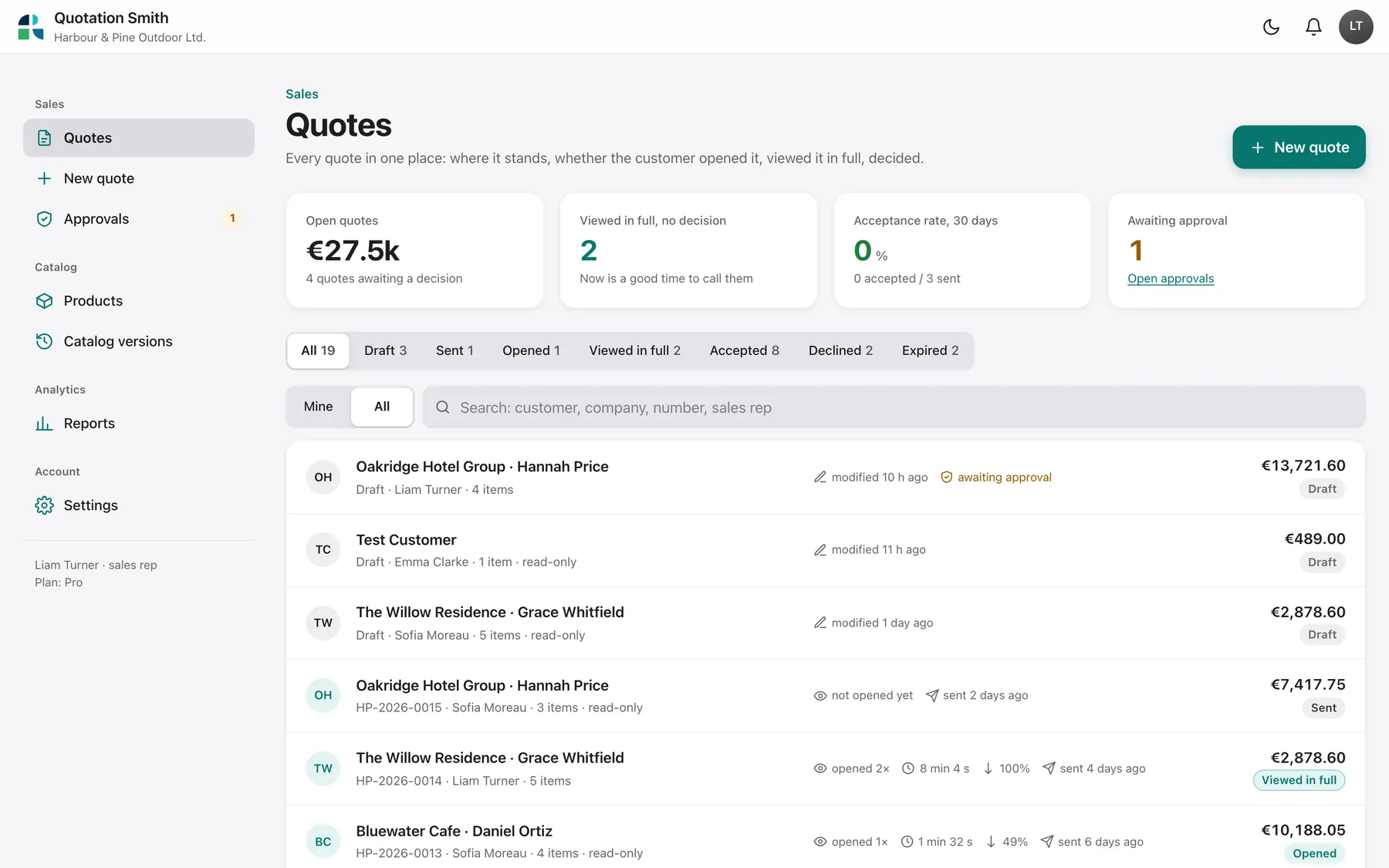
Build a quote from your own products, send it by email with one click, and see whether your customer opened it and read it to the end. Accepting it takes a single click.
- Runs in the browserNothing to install.
- Works on phonesFor you and your customers.
- Your data stays yoursNo other company can see it.
- Excel uploadYour product list is in, in one step.
Quotes took hours of Excel and email. Now it’s one click.



- NFNora Field16:22Re: quote? Did you send it? I can’t find the attachment.
- MEme13:05Halo_quote_v5.xlsx Updated the total again, sorry
- MHMark Hale10:40Fwd: armchair discount Can we do 15%? Need to check with Peter
- ASAnna Sales09:12Re: Re: price list Which price list is the current one?
From product list to signed deal, in one place.
Upload your products, build the quote, send it, and see what happens to it.
Upload your products. Done.
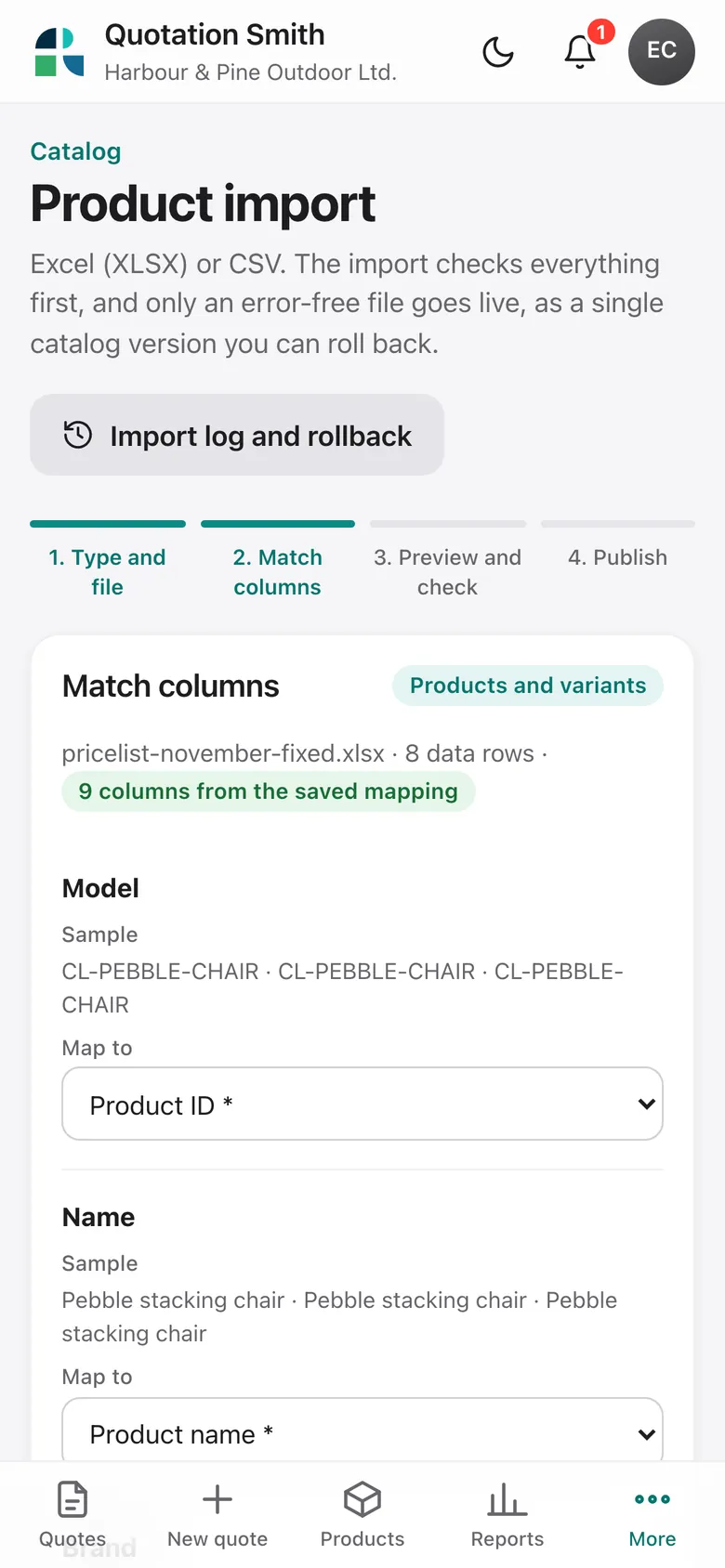
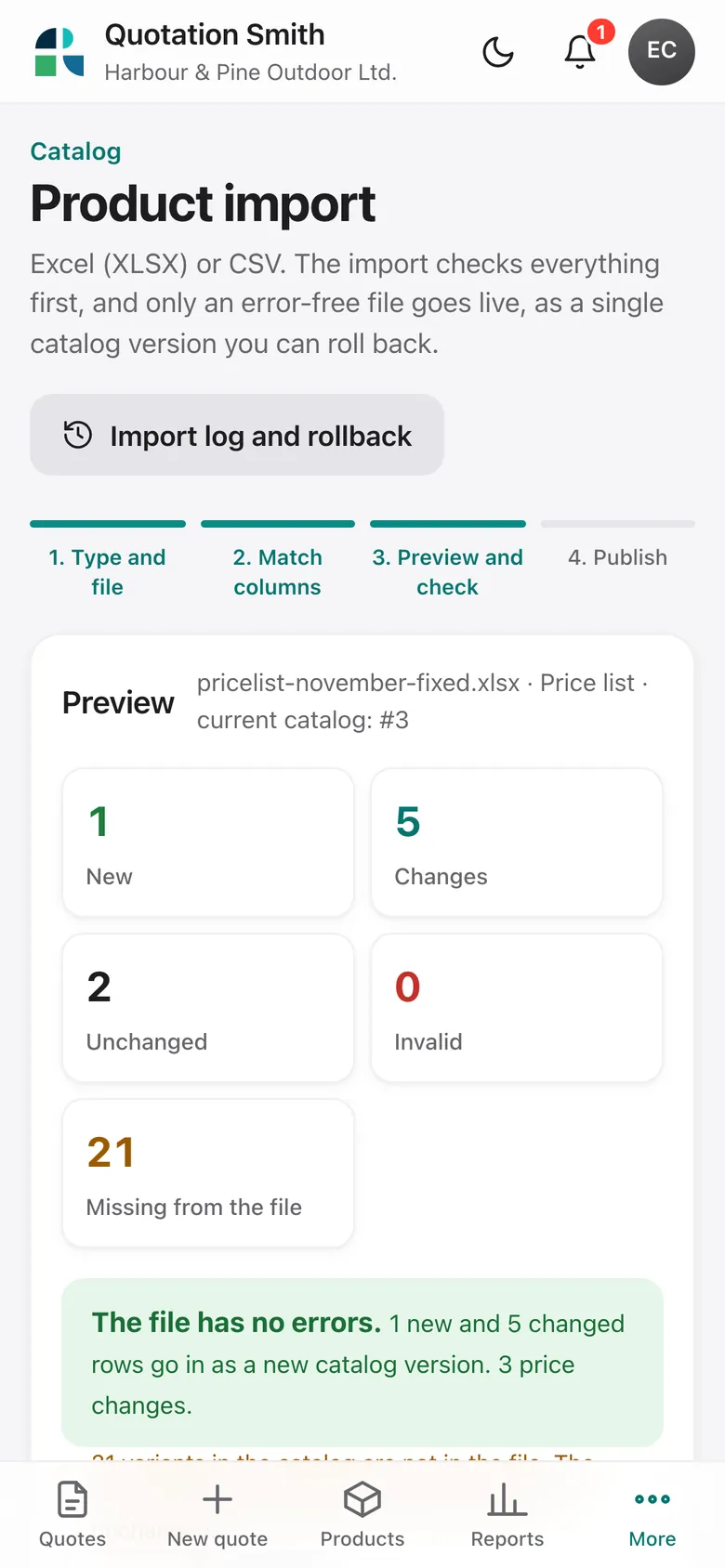
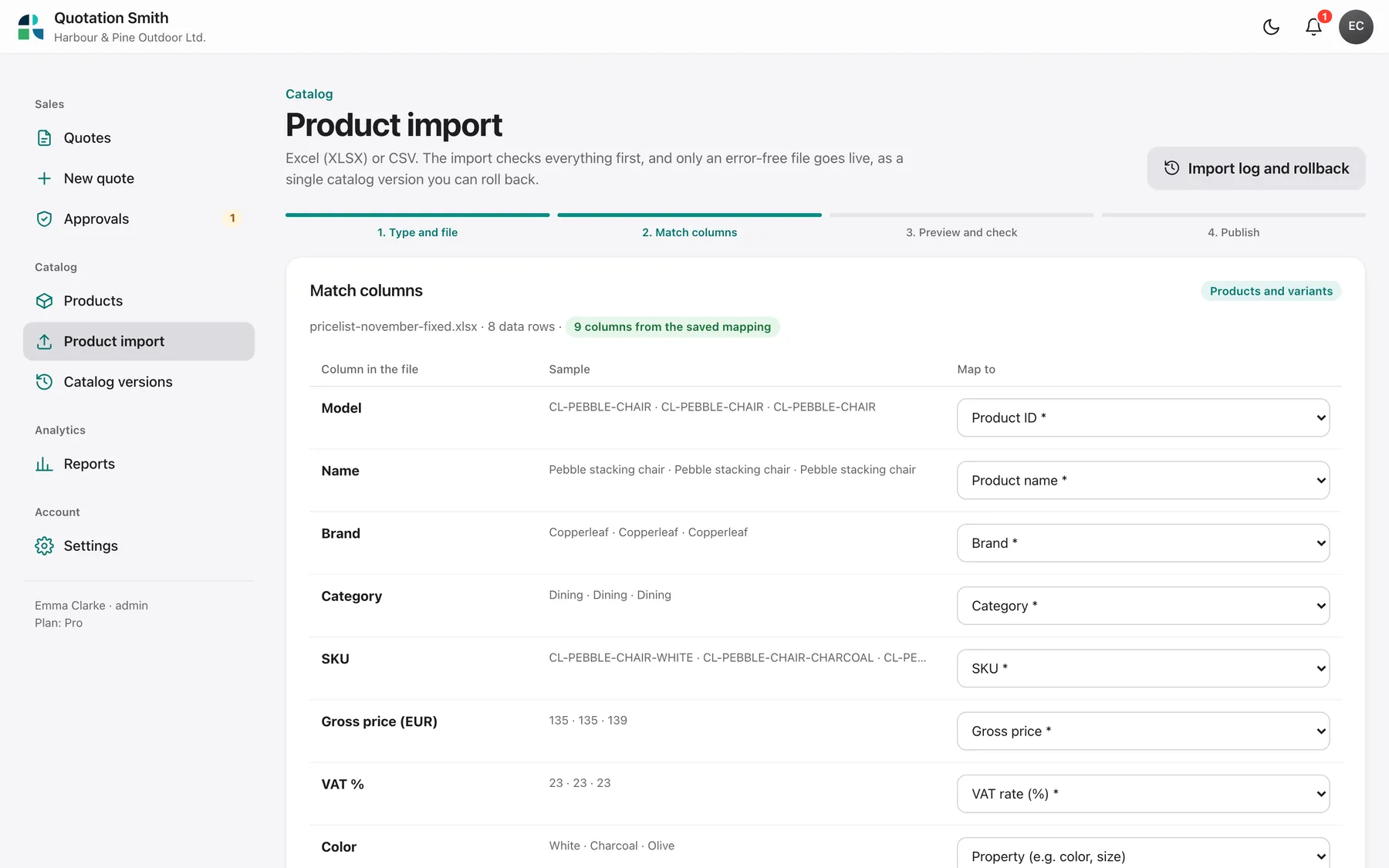
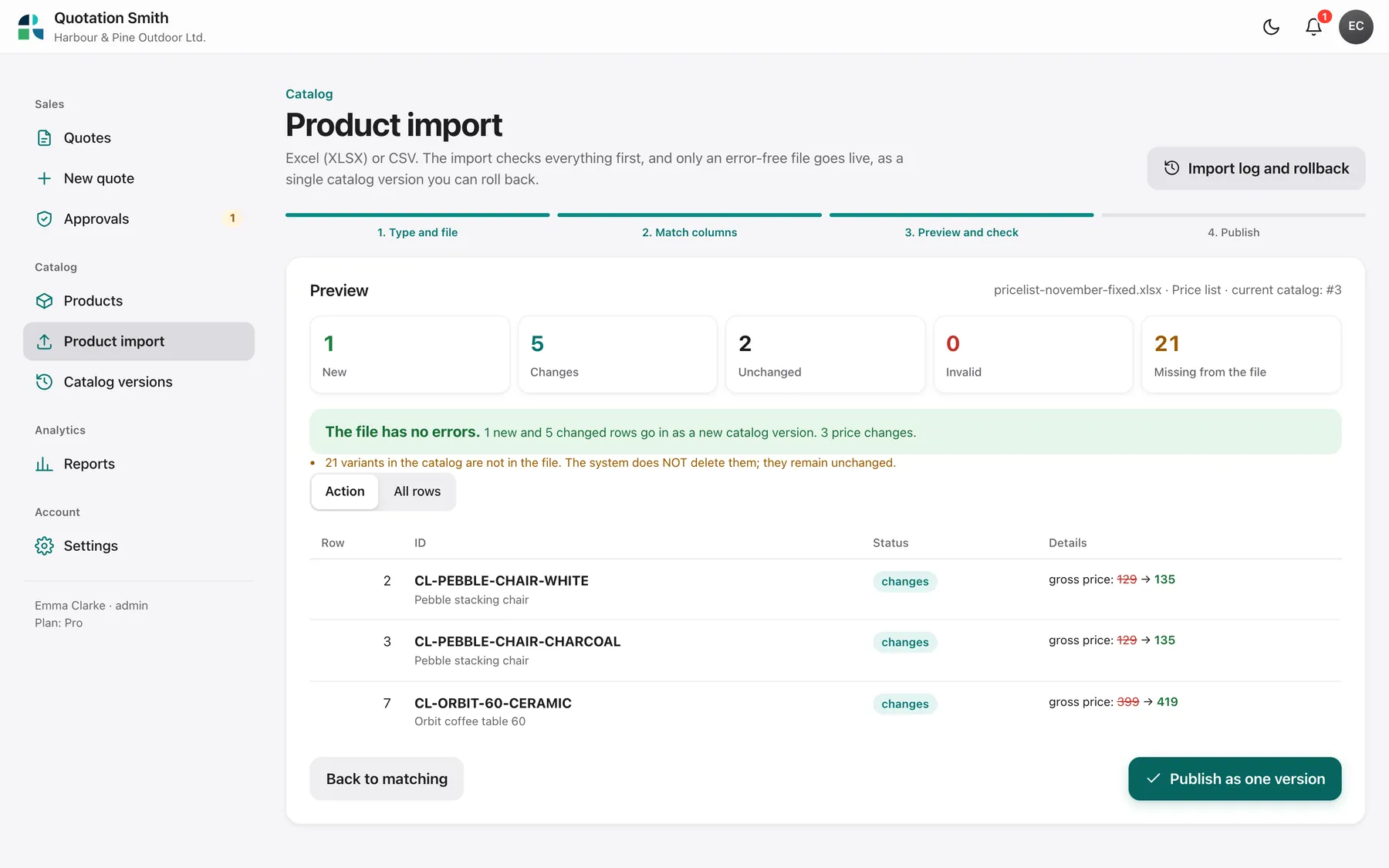
Upload your product list from Excel or CSV. Show it once which column holds what, and next time it remembers. Before anything goes live, you see what is new, what changed and where there is an error.
- Variants by any attribute: colour, size, material
- If even one row is wrong, nothing goes live
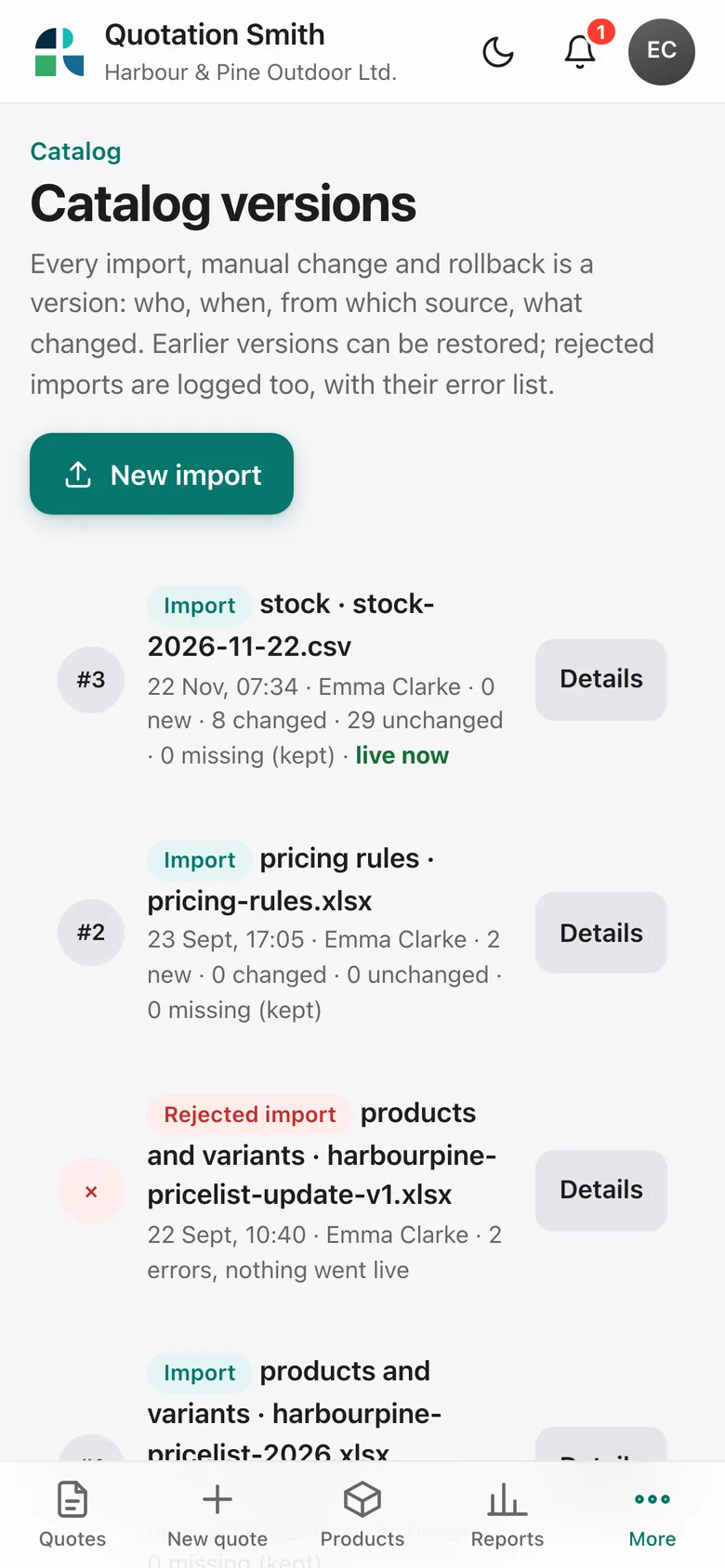
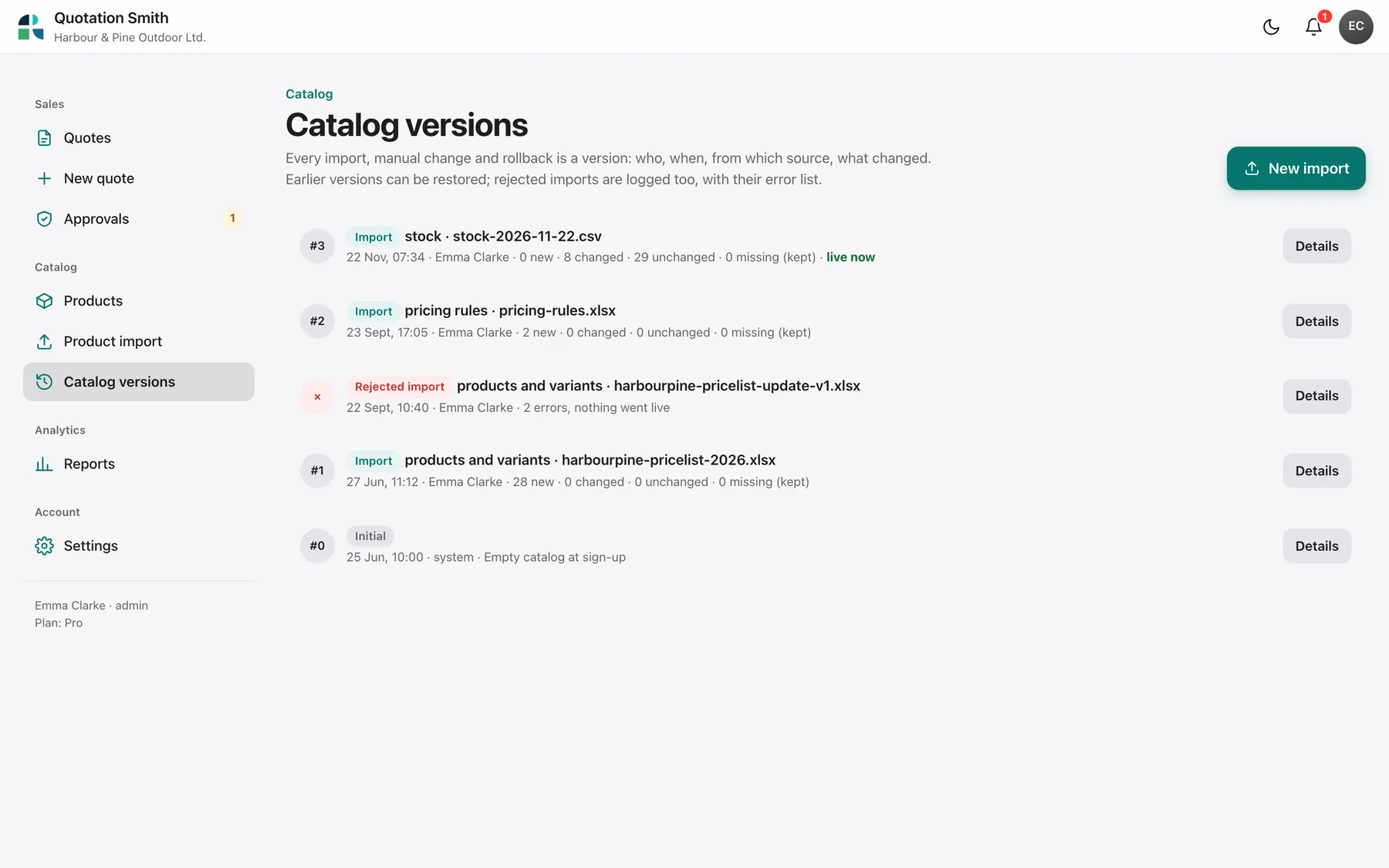
- Any earlier version can be restored
- Products missing from the file are never deleted
You pick. It does the maths.
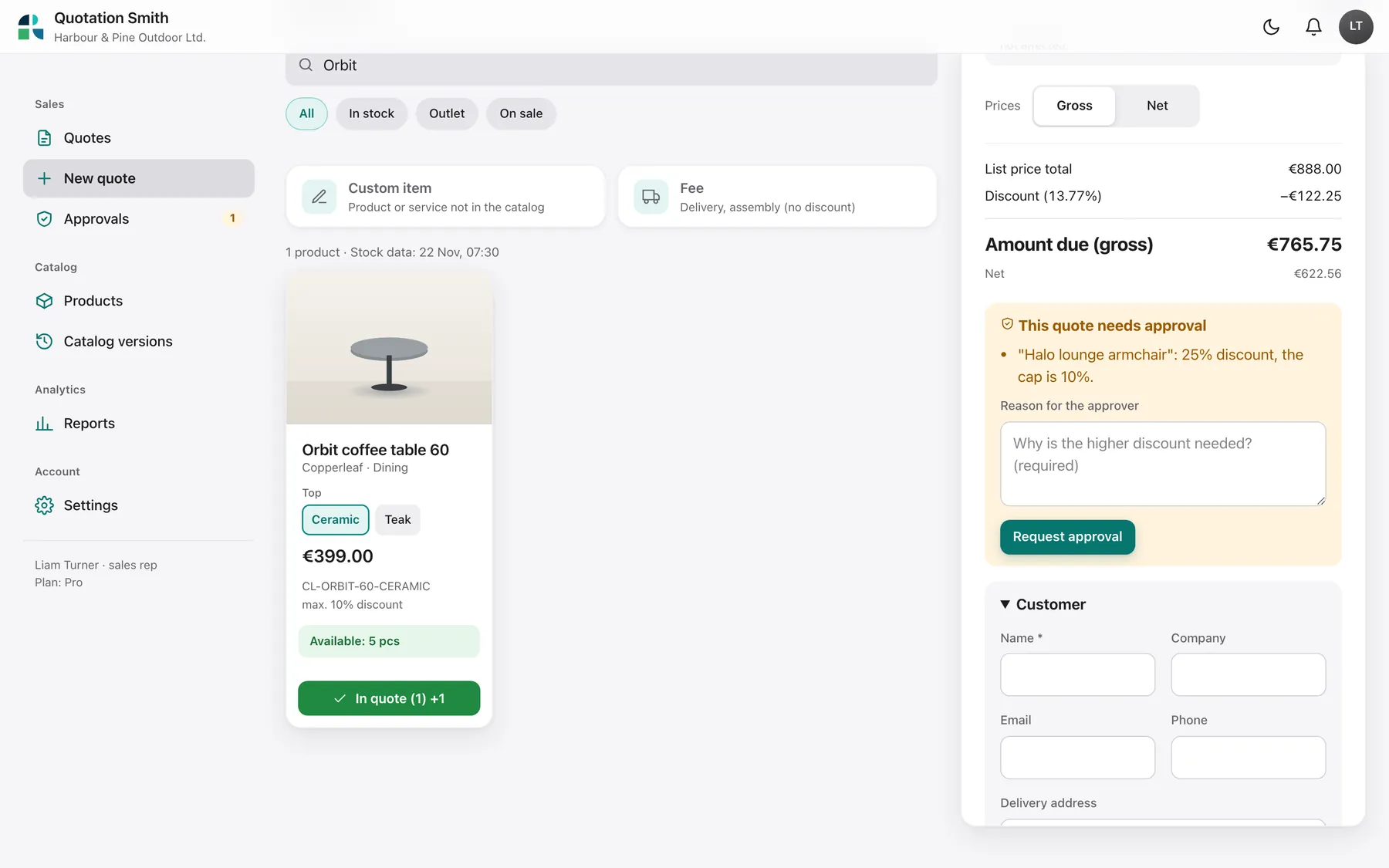
Search for a product, pick the colour or size, and it is already in the quote. The total updates instantly, with or without VAT.
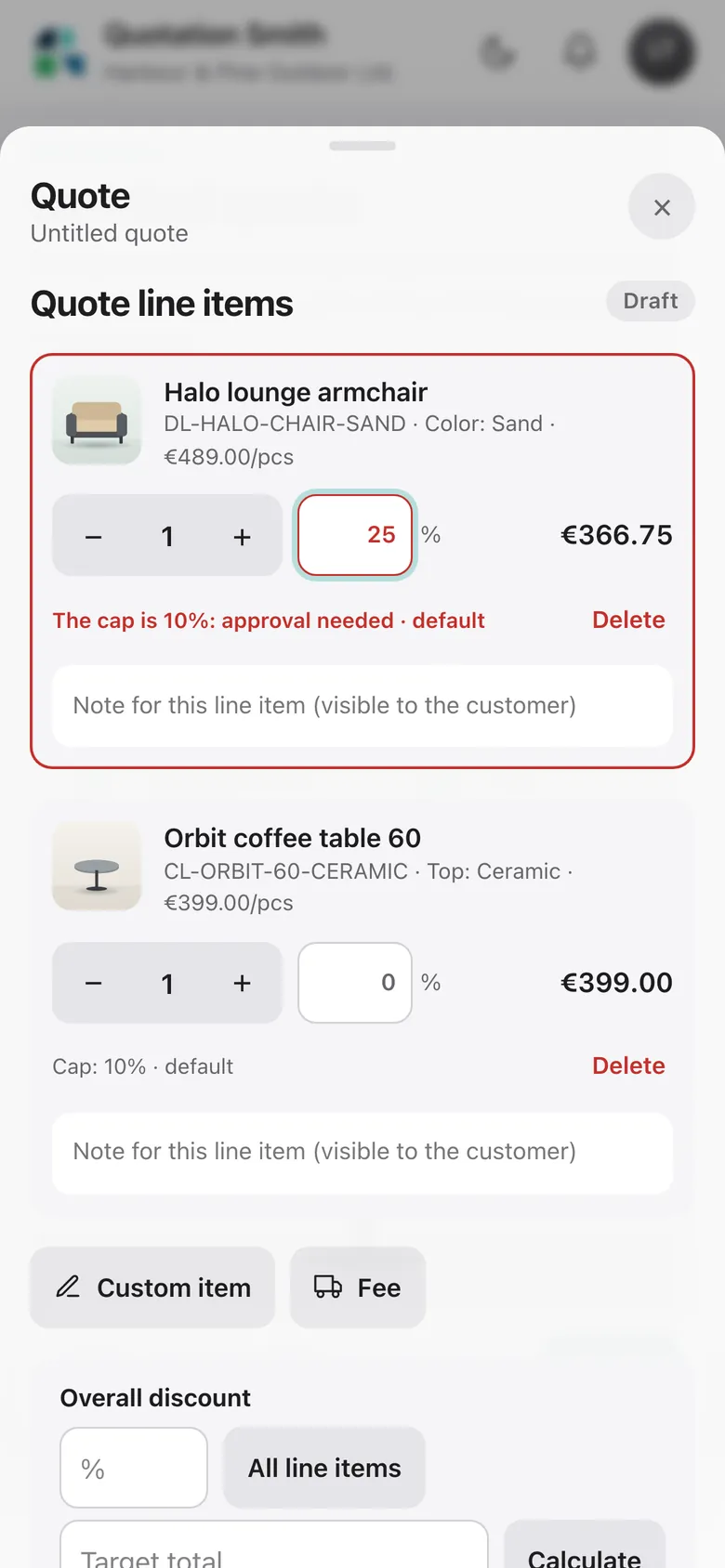
- Discounts per item or on the whole quote
- Discount limits by product, brand or category
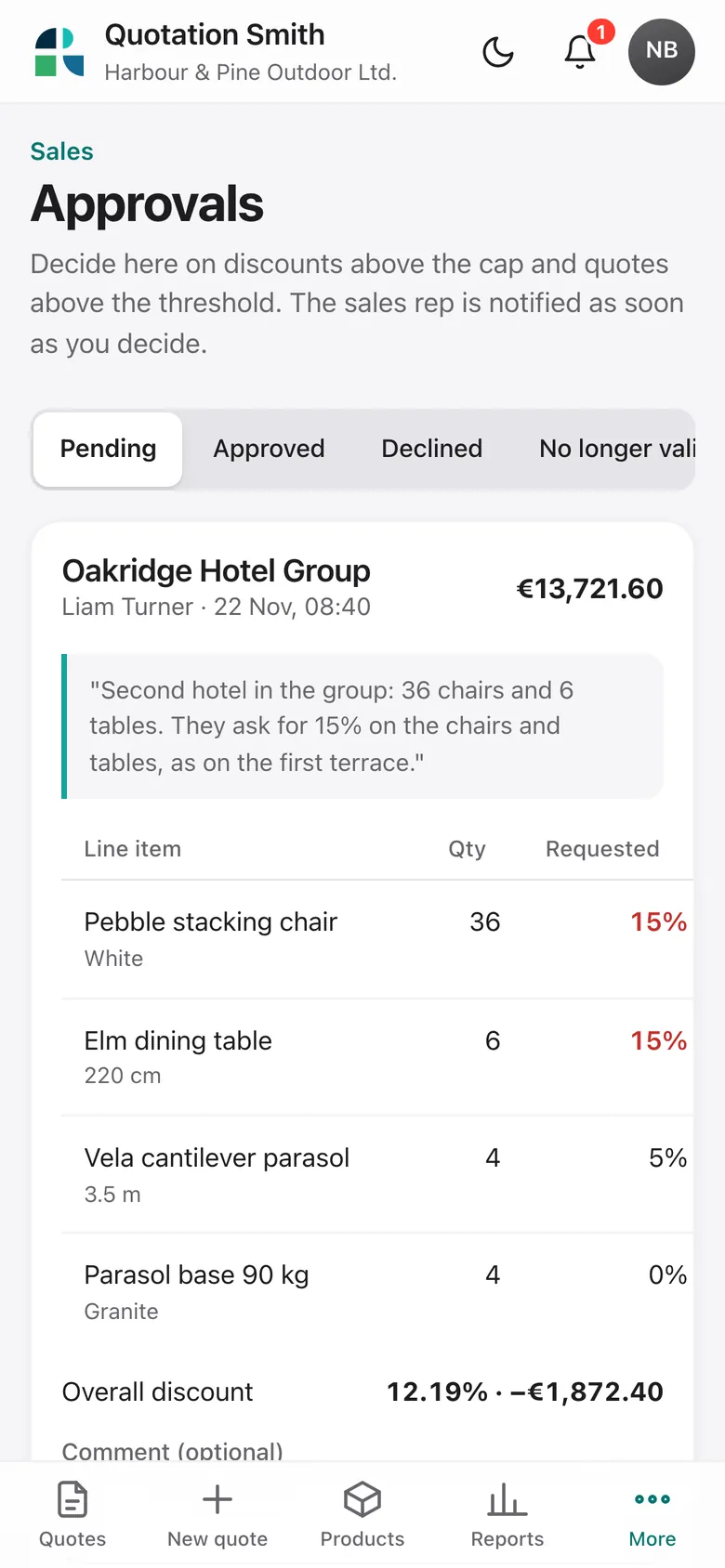
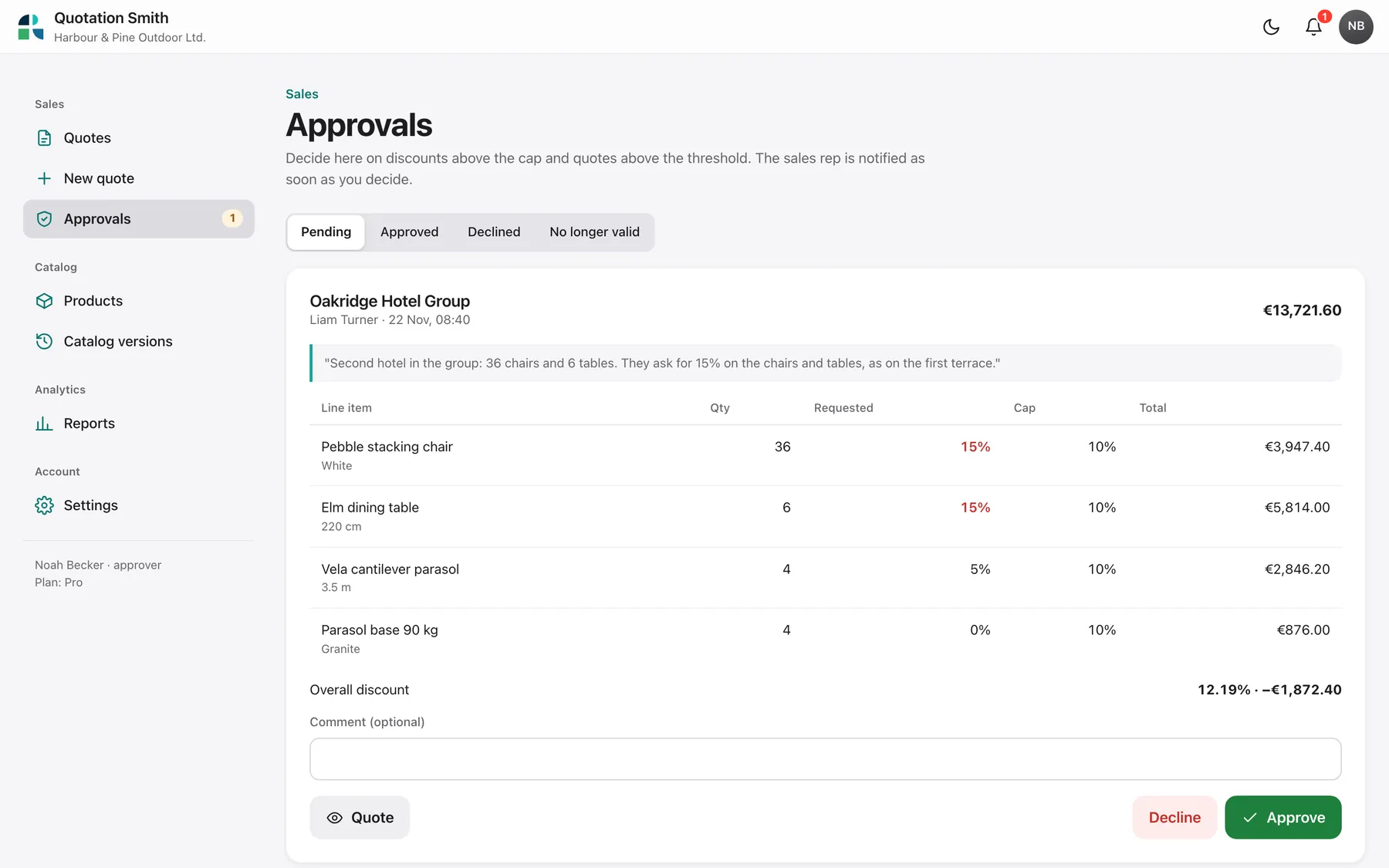
- Anything above the limit goes to an approver
- Custom items and fees, such as delivery
- Autosave, duplicate, new version
One click to send. One click to say yes.
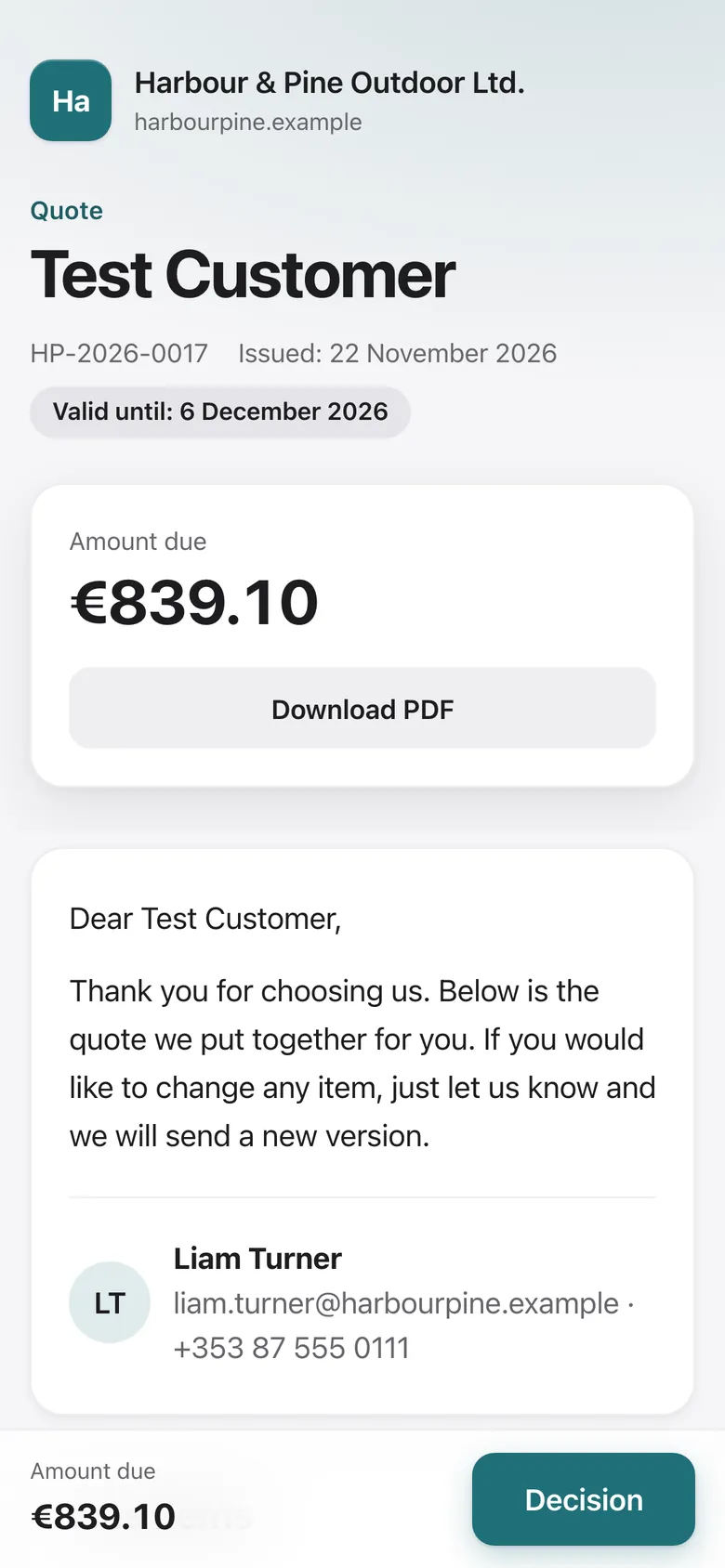
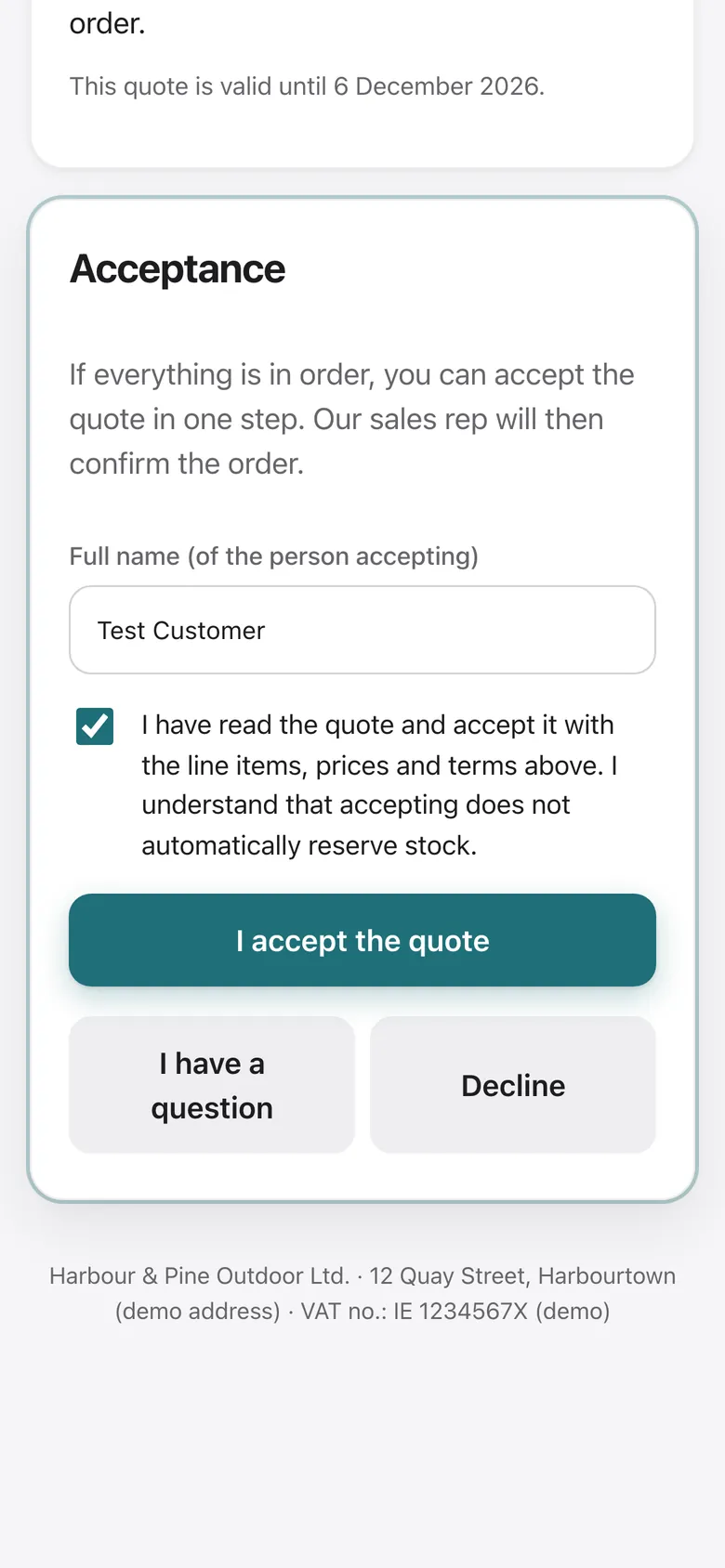
The quote opens with your logo and colours, on a phone too, and can be downloaded as a PDF. Your customer can accept it, ask a question, or decline it with a reason.
- Goes out by email in one click
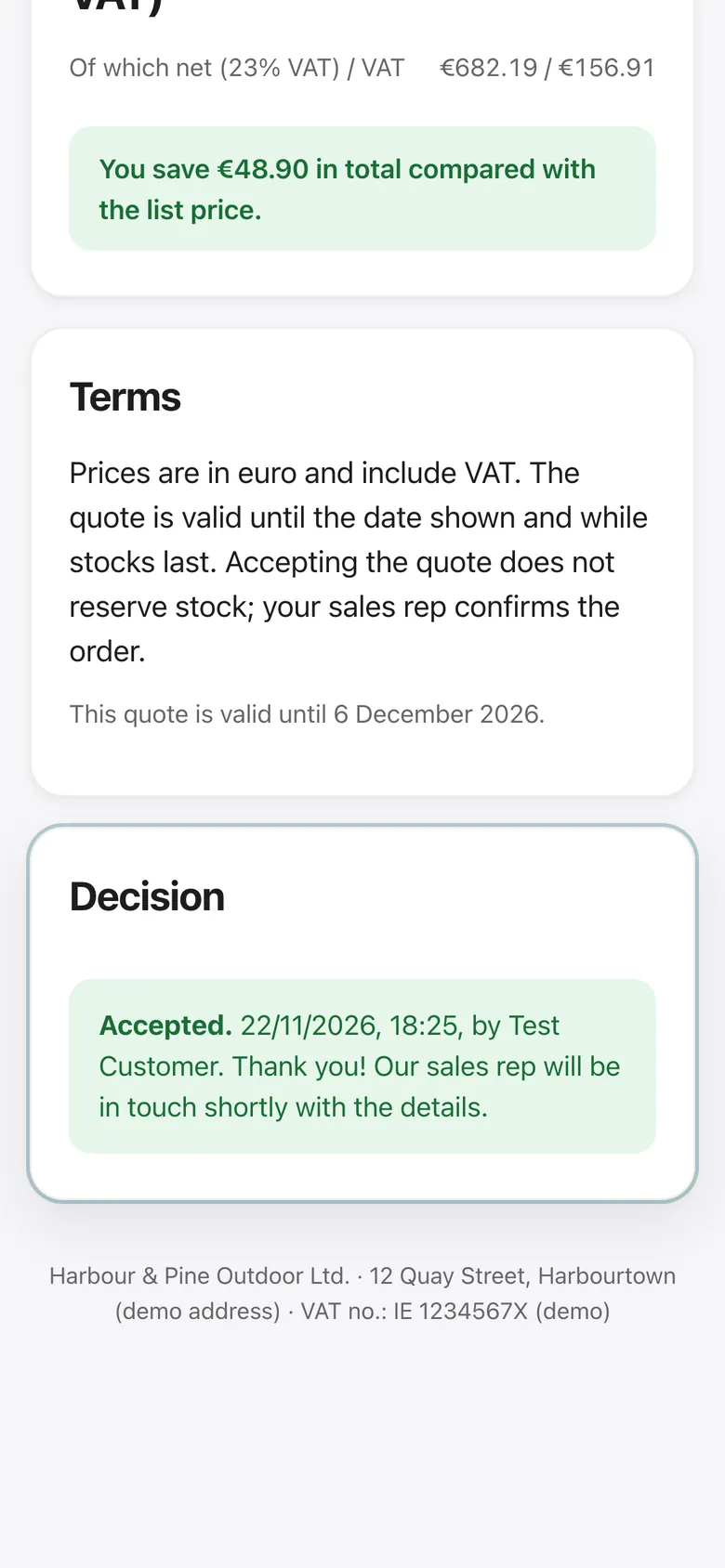
- Acceptance is recorded with name and time
- An accepted quote can no longer be changed
- The page tells your customer about tracking
Know exactly when to call.
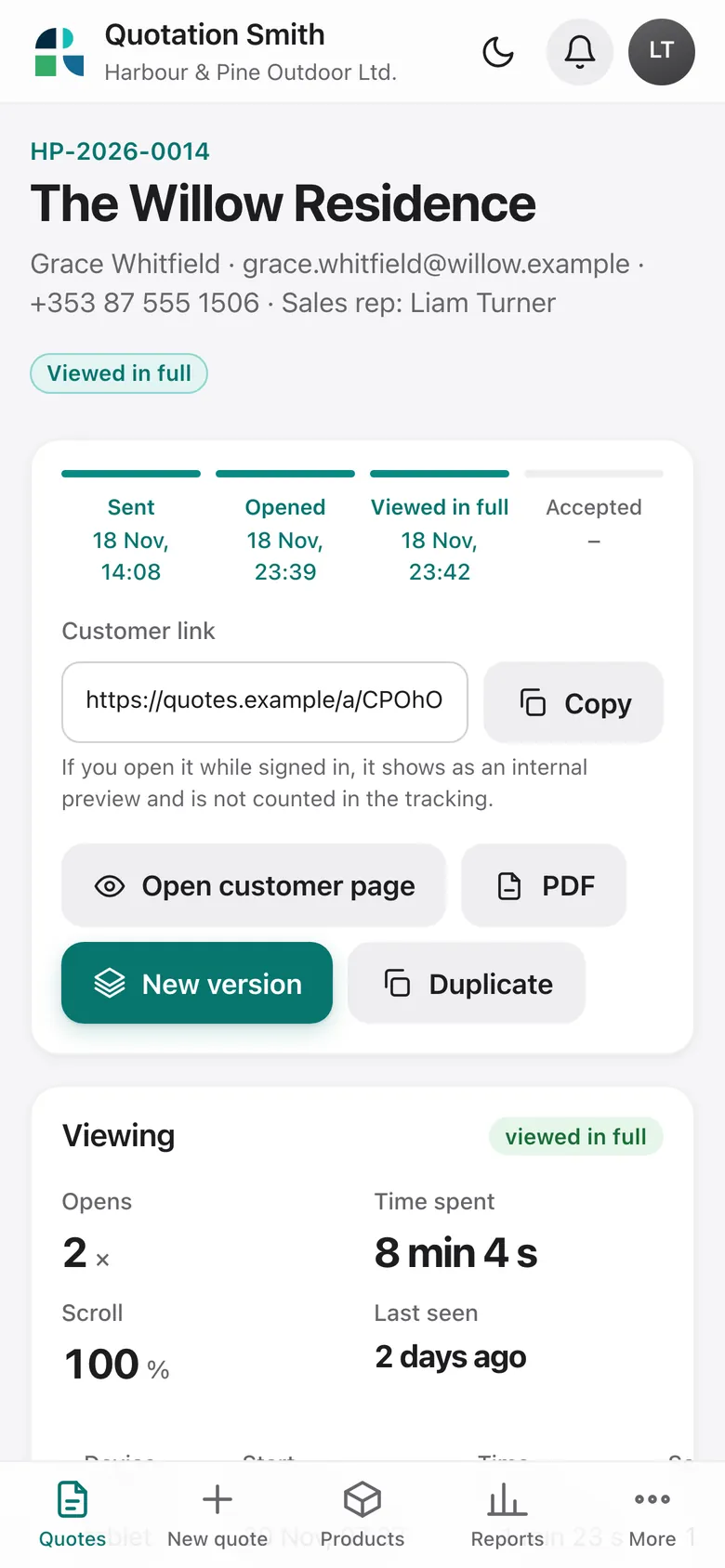
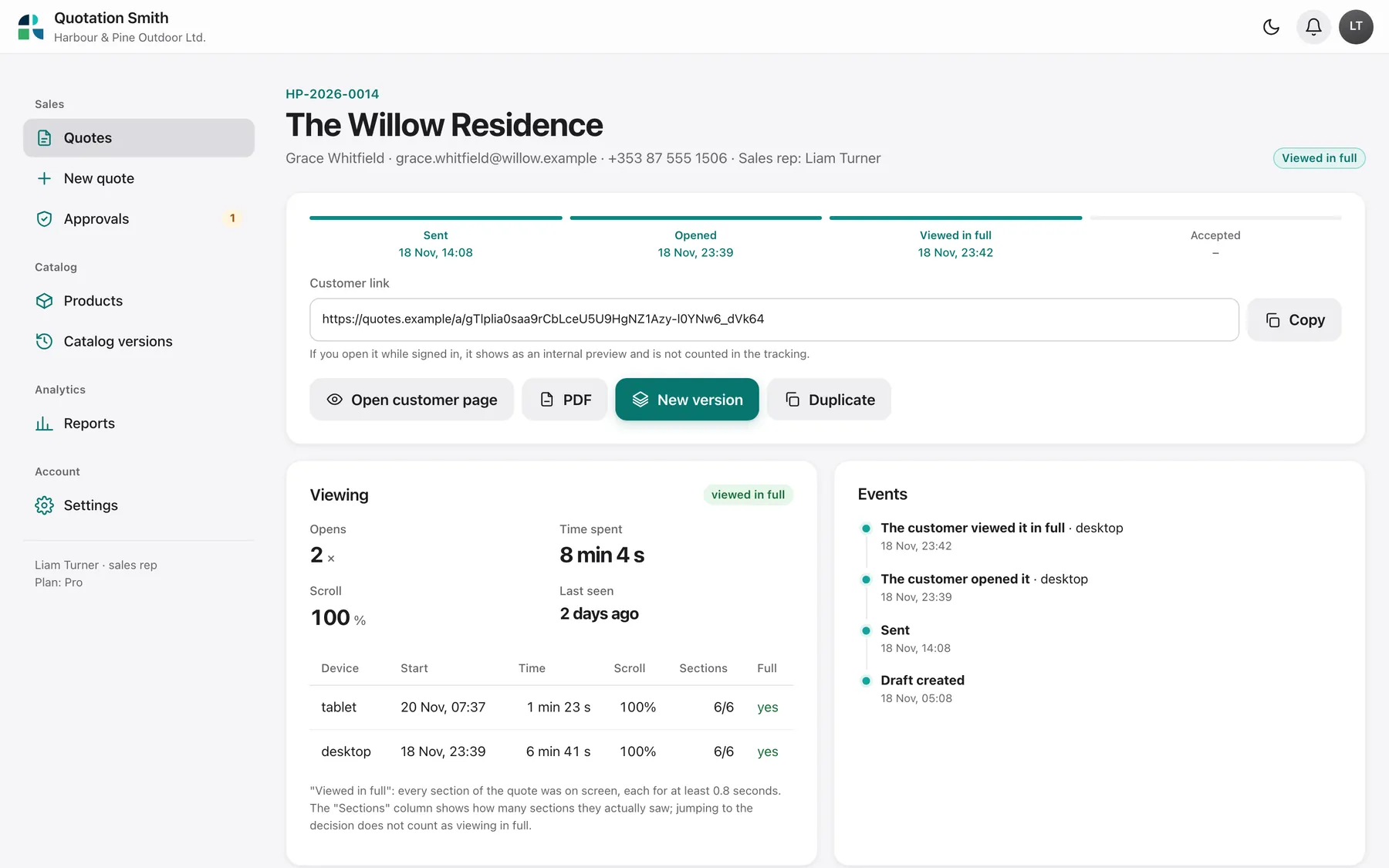
See when and how often your customer opened the quote, on which device, how far they scrolled, how long they spent on it, and whether they read it to the end.
- “Viewed in full”: every part of the quote was on their screen for at least 0.8 seconds
- You get notified when they open it and when they decide
- Always know where it stands: sent, opened, viewed, accepted, declined, expired
See what works.
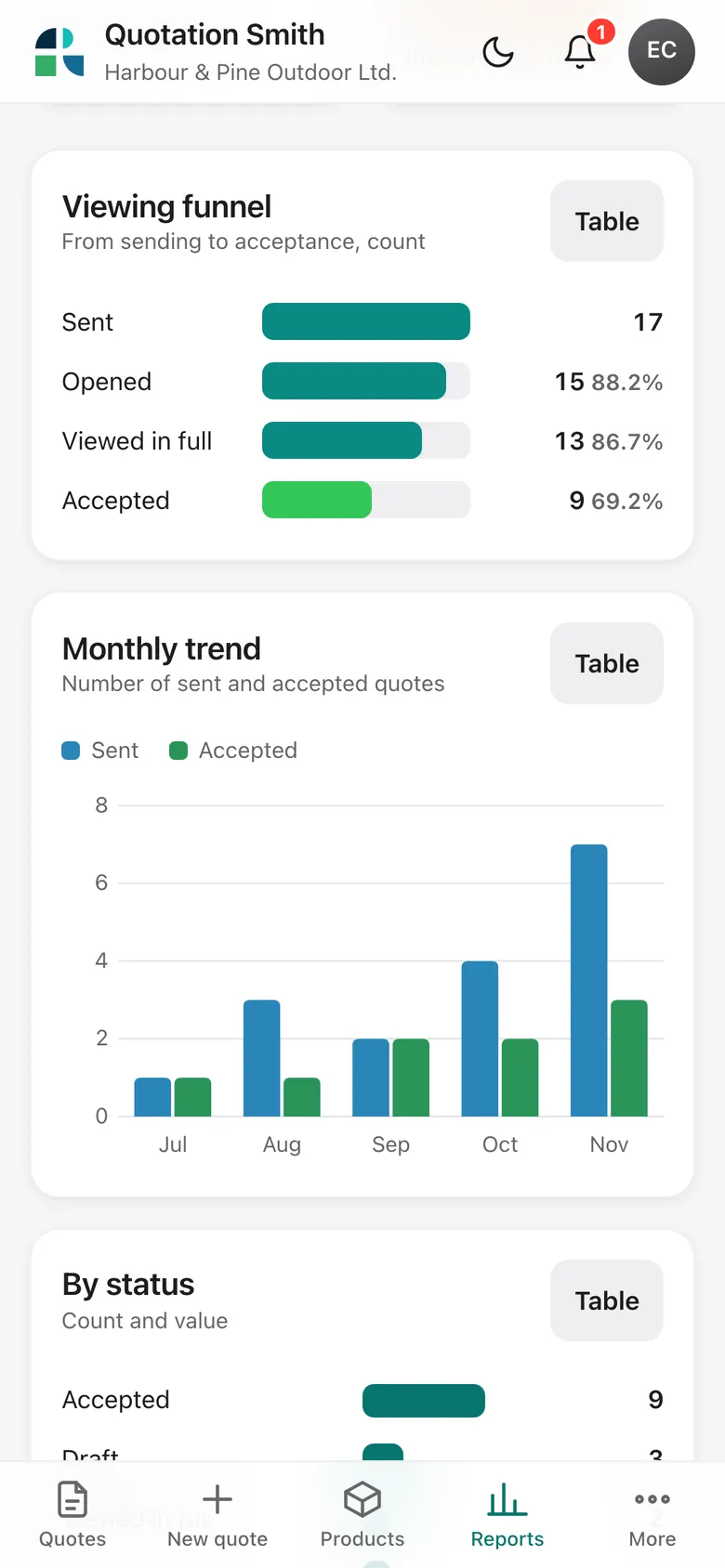
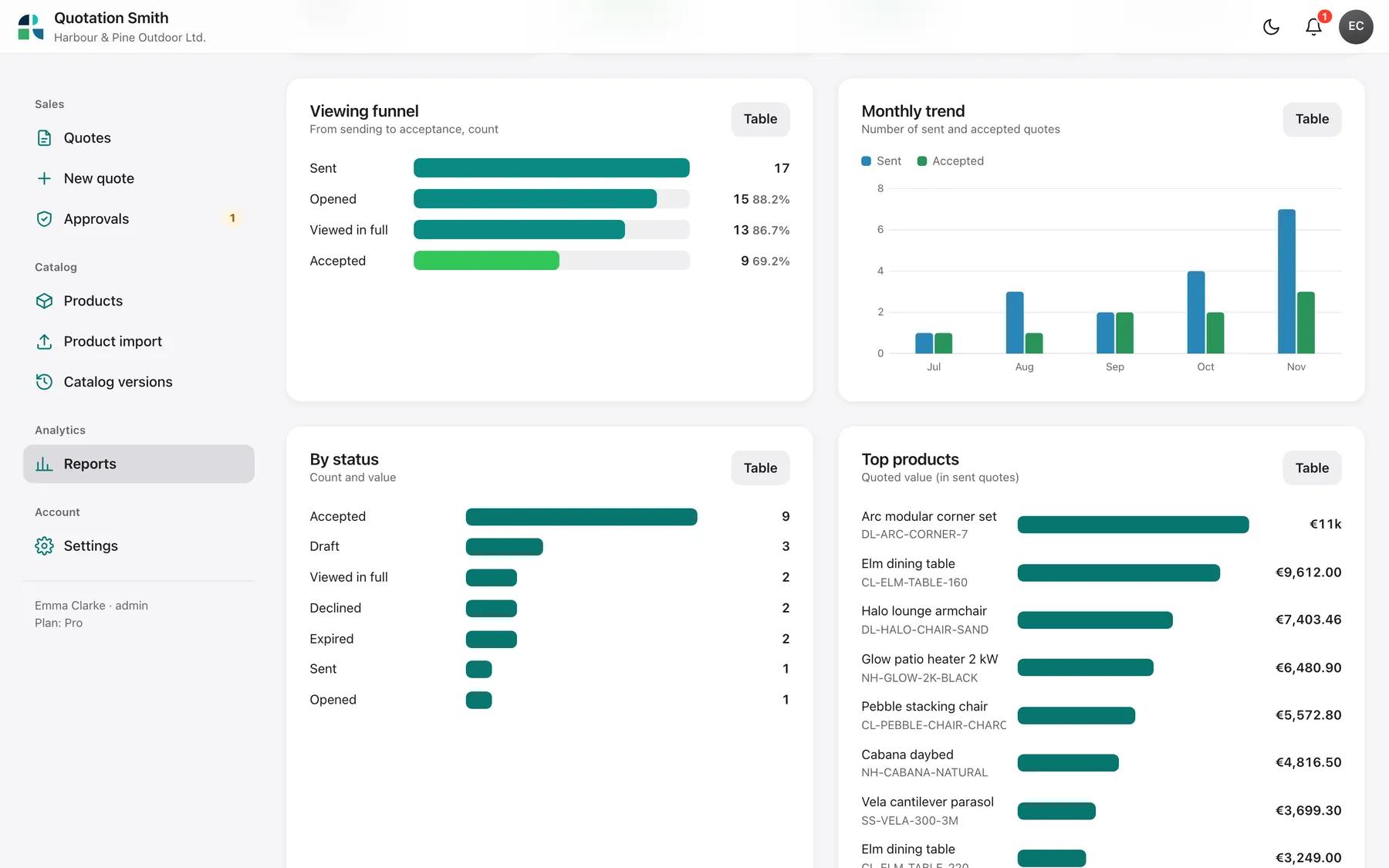
How many quotes went out and for how much, how many were accepted, how long it takes from sending to yes, which products sell best, and how much discount each salesperson gives.
- Filter by period, salesperson and status
- Every chart as a table too
- Export to Excel and CSV
Your brand on every quote.
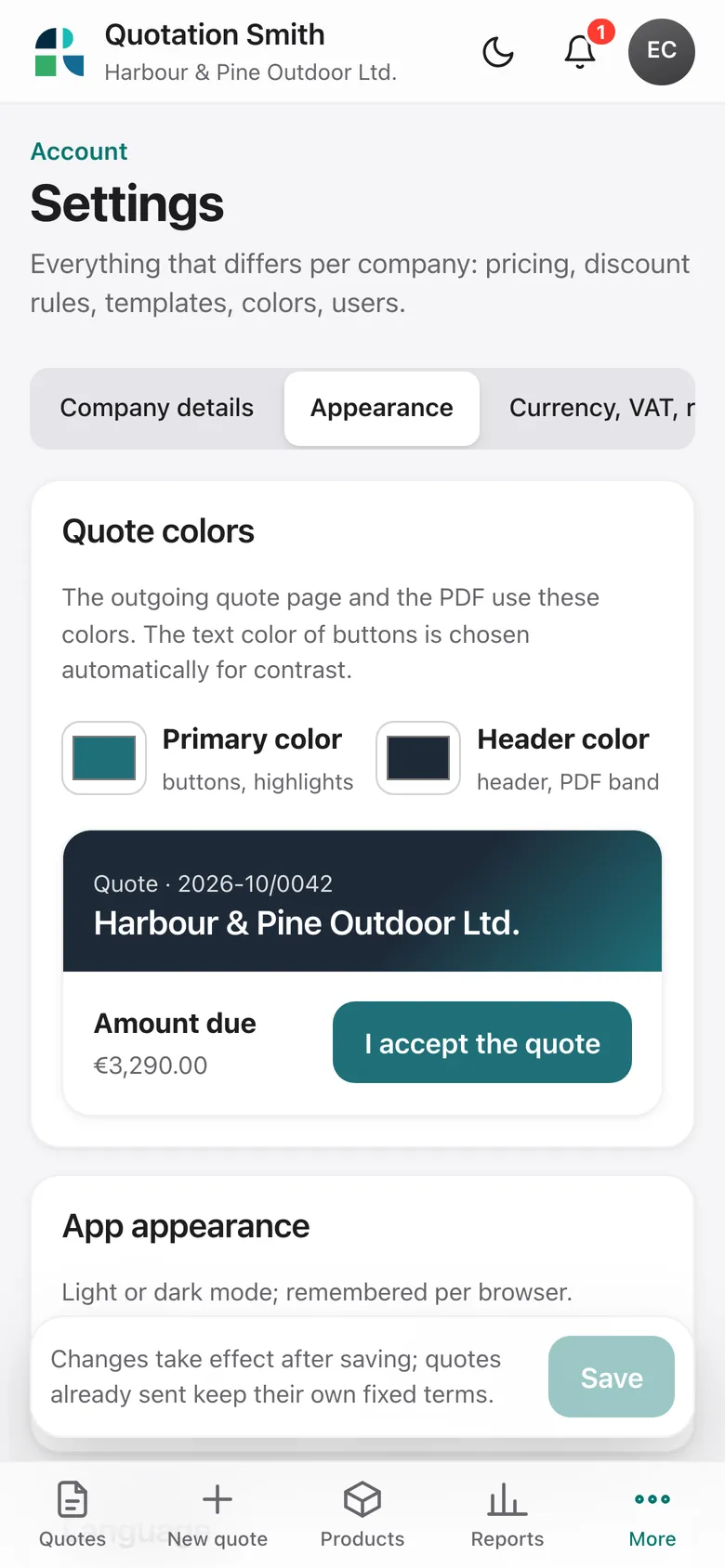
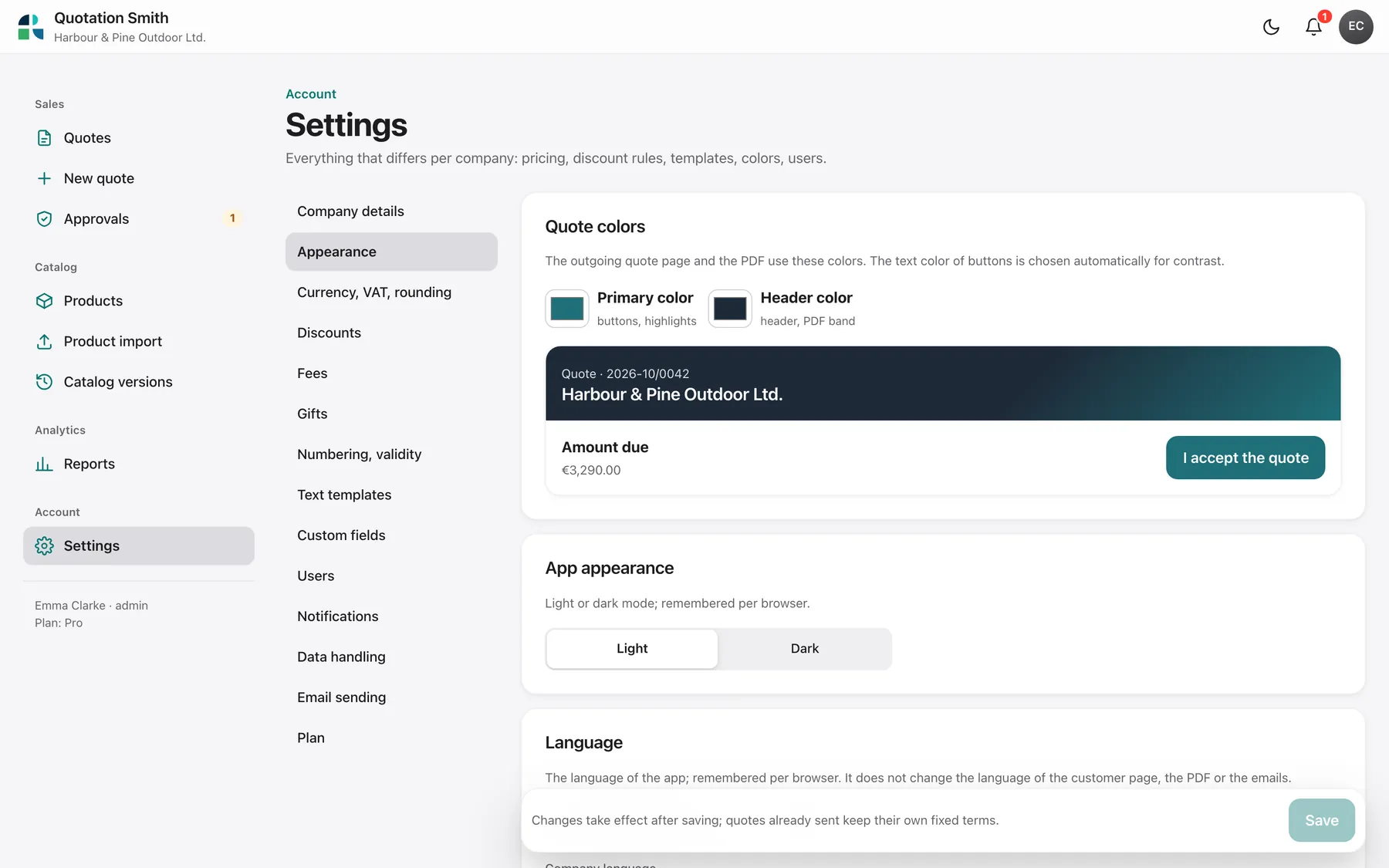
Your logo and colours appear on the customer page and the PDF. You set every rule yourself, no developer needed.
- Company details, currency, VAT, rounding, numbering
- Validity period, discount limits, approval threshold
- Text templates and custom fields
- Users with roles: admin, salesperson, approver
Watch the smith at work.
One quote, start to yes, in three minutes.
One monthly fee. Nothing to install.
Pick the plan that fits the size of your business.
Frequently asked questions
Do I need to install anything?
No. It runs in the browser, like a website. Everyone on your team signs in with their own email and password.
Does it work on phones?
Yes. It is comfortable to use on a phone, and your customers can open and accept quotes on their phones too.
Can other companies see our data?
No. Each company’s data is kept separate, and every request is checked against the signed-in user’s own company. No other company can reach it, in any way.
How do I upload my products?
As an Excel (XLSX) or CSV file. Show it once which column holds what, and it remembers. You can also export your product list to Excel or CSV and edit products by hand.
What if a row in the file is wrong?
Then nothing goes live. The preview shows every error row by row; fix them and upload again. Products missing from the file are never deleted.
How does my customer receive the quote?
By email, with one click. Your customer gets a message with a button that opens the quote in your logo and colours, and the PDF can be downloaded there too.
Can I change a quote after sending it?
Once sent, the items, prices and terms are locked. If you want to change something, a new version is created with the same number, and the old one is kept. Your customer can no longer accept the replaced version from the old email.
What roles are there?
Admin, salesperson and approver. The approver decides on discounts above the limit and on quotes above the threshold. If someone changes an approved quote, it has to be approved again.
We will show you, with your own products.
Tell us what your company does and how you make quotes today. Then we will set up a short demo.